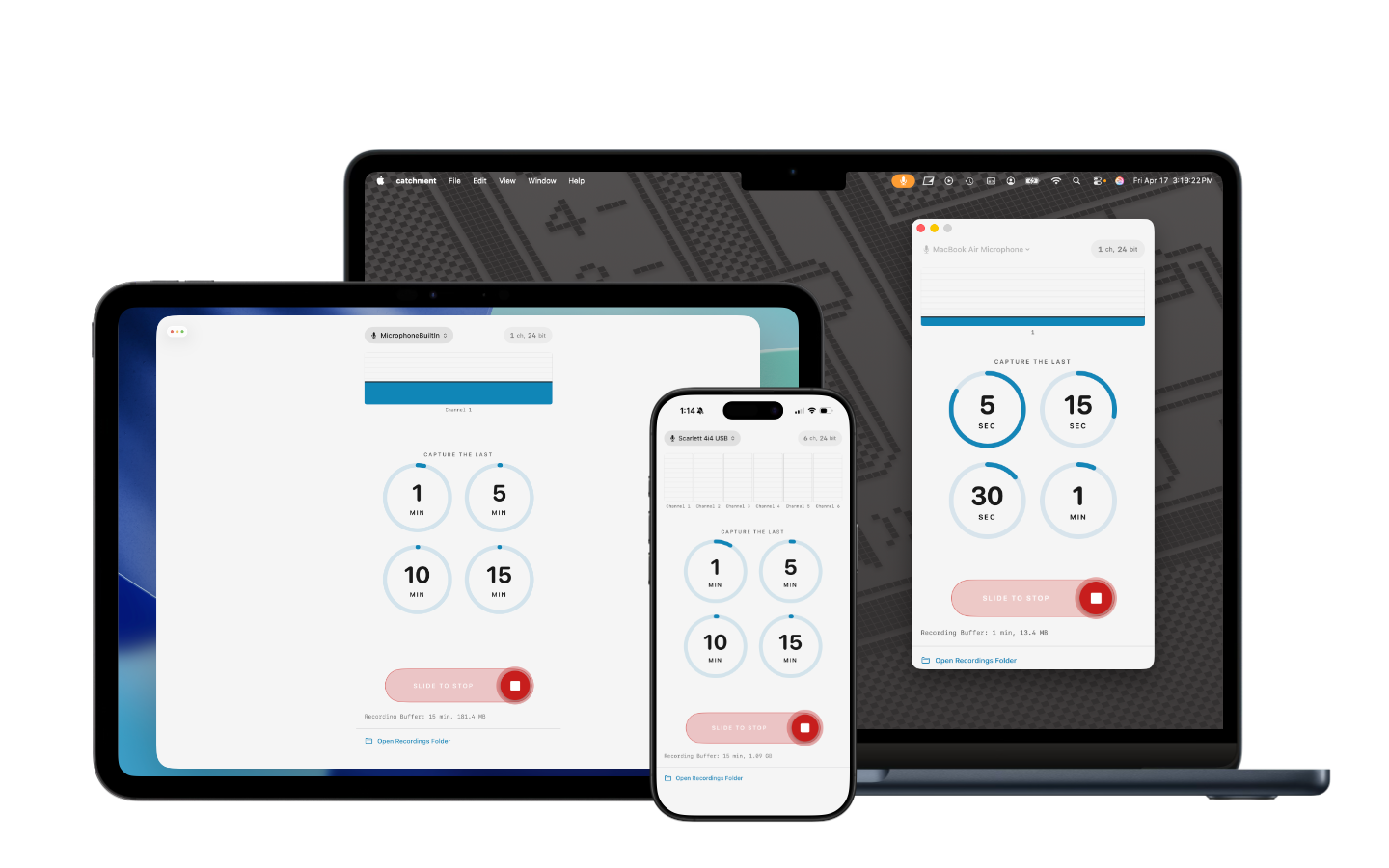
A retroactive multichannel audio recorder for Mac, iPad, and iPhone.
Catchment works like a tape that's always recording. When you play something worth keeping, tap to save the last few minutes as WAV files to your device.
The best ideas rarely happen when you're ready for them. Catchment solves that by recording continuously in the background from your selected audio input. Nothing is written to disk until you decide to keep it — then a single tap saves the audio you just played as WAV files, ready to drop into a DAW or share as-is.
No arming tracks. No hitting record before the moment starts. The moment is already captured.
Connect any class-compliant USB audio interface, or use the built-in microphone on your device. Catchment shows every channel your interface exposes.
Tell Catchment how far back you want to be able to reach. A longer buffer means more room to decide what's worth keeping.
Slide the record control to arm Catchment. From this point forward, audio is continuously captured into the buffer. Nothing leaves the buffer until you say so.
When something's worth keeping, tap a duration. Catchment writes the last few minutes to disk as WAV files — one per channel — and keeps recording.
Catchment records every channel your audio interface exposes as a separate WAV file. Connect a multichannel USB interface — like the Focusrite Scarlett series — and capture individual inputs as clean, independent stems.
On macOS, Elektron devices (Digitakt II, Digitone, Analog Rytm, and others) are also supported when the Overbridge driver is installed, exposing individual tracks, sends, and inputs for capture.
Import the stems into your DAW to mix, edit, and arrange later — or keep the raw takes exactly as they were played.
Capture jams and improvisations on synths, grooveboxes, and drum machines without arming a DAW or interrupting your flow.
Record every channel of your audio interface as an independent WAV file, ready to mix in your DAW.
The moment you want has already passed by the time you'd hit record. Catchment was already rolling.
When the best quote comes before you thought the conversation had started, you don't have to ask them to say it again.
Good ideas surface unpredictably. Keep the ones worth keeping, without setting anything up first.
Catchment is not a DAW. It doesn't edit, mix, process, or export beyond WAV. It doesn't sync to the cloud or require an account. It writes files to your device, and you decide what happens next.
Last updated: April 17, 2026
Catchment does not collect any information about you.
The app has no network access. It does not connect to any server, does not transmit any data, and does not include any analytics, tracking, or advertising frameworks.
Audio recorded by Catchment is written to your device's local storage and stays there. Your recordings are yours.
If this policy ever changes, the updated version will be posted at this URL with a revised "Last updated" date.
Questions? Contact Rocamr Labs at support@rocamr.com.