Rocamr Labs

Retrocord

A retroactive multitrack audio recorder for Mac, iPad, and iPhone.

Retrocord works like a tape that's always recording. When you play something worth keeping, tap to keep the last few minutes — then edit, organize, and export it from a library that syncs privately across your devices.

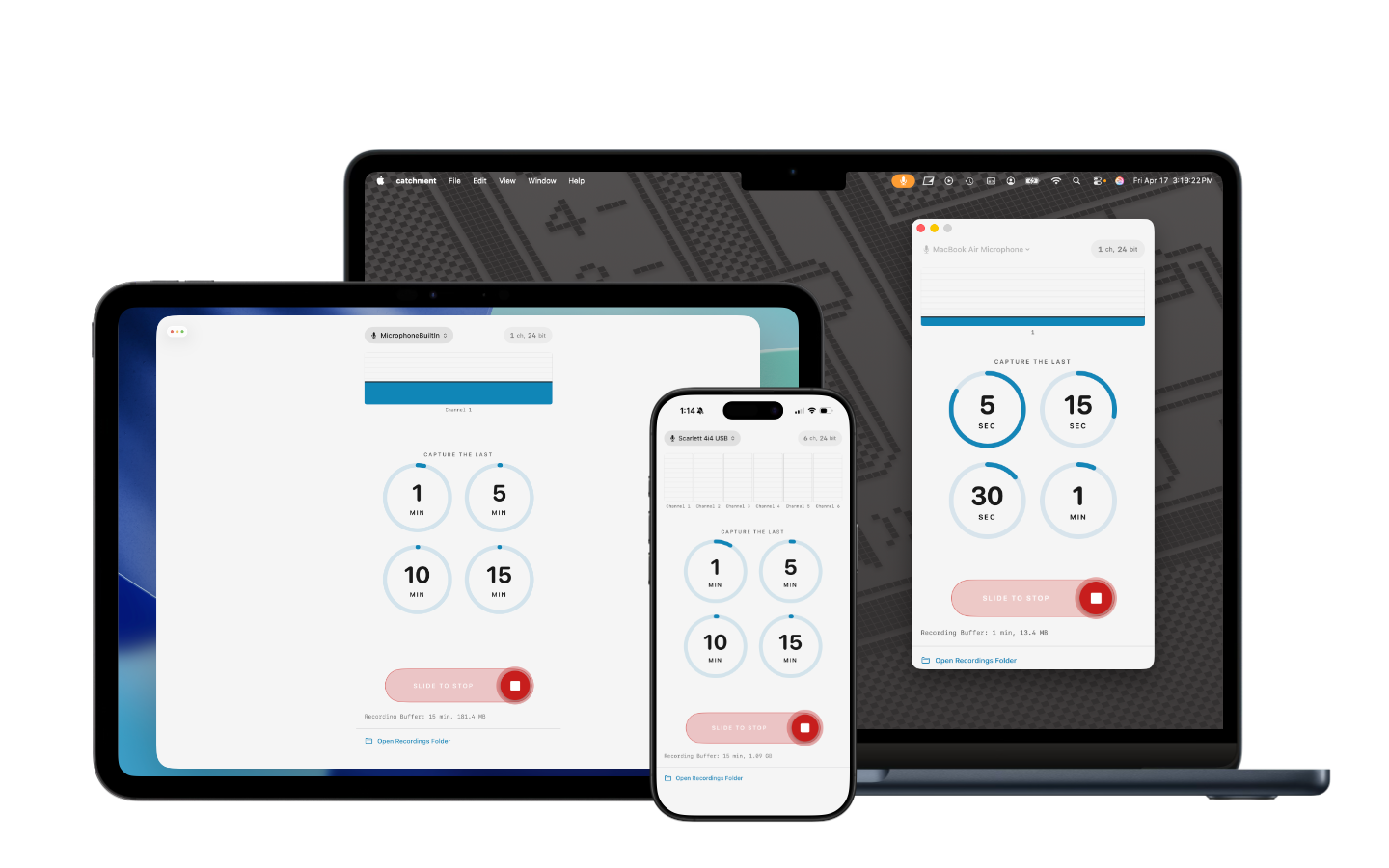
Retrocord running on Mac, iPad, and iPhone

What It Does

The best ideas rarely happen when you're ready for them. Retrocord solves that by recording continuously in the background from your selected audio input. Nothing is kept until you decide to keep it — then a single tap captures the audio you just played and lands it in your library as a recording you can play back, edit, organize, and export.

No arming tracks. No hitting record before the moment starts. The moment is already captured.

How It Works

Step 1

Pick an input

Connect any class-compliant USB audio interface, or use the built-in microphone on your device. Retrocord shows every channel your interface exposes.

Step 2

Choose a buffer length

Tell Retrocord how far back you want to be able to reach. A longer buffer means more room to decide what's worth keeping.

Step 3

Slide to arm

Slide the record control to arm Retrocord. From this point forward, audio is continuously captured into the buffer. Nothing leaves the buffer until you say so.

Step 4

Tap to capture

When something's worth keeping, tap a duration. Retrocord saves the last few minutes to your library — one track per channel — and keeps recording.

Multitrack, From the Start

Retrocord records every channel your audio interface exposes as its own track. Connect a multichannel USB interface — like the Focusrite Scarlett series — and capture individual inputs as clean, independent stems.

On macOS, Elektron devices (Digitakt II, Digitone, Analog Rytm, and others) are also supported when the Overbridge driver is installed, exposing individual tracks, sends, and inputs for capture.

Mute and solo tracks during playback to audition what you caught, then export them to your DAW to mix and arrange later — or keep the raw takes exactly as they were played.

Edit Before You Export

Retrocord lets you shape a capture without leaving the app. Edits are non-destructive — your original recording is never altered, and your changes are applied when you export.

Your Library, on Every Device

Recordings live in an organized library — sessions hold captures, captures hold tracks — with waveforms, names, and durations at a glance.

Your library syncs privately across your iPhone, iPad, and Mac through your own iCloud account. There's no Rocamr Labs account to create and no third-party service in between — just your recordings, on every device you own.

Lossless, and Smaller

Captures are stored as Apple Lossless (ALAC) — full 24-bit, 48 kHz quality at roughly half the size of uncompressed WAV.

When it's time to move audio out, export individual tracks or a flattened mix as ALAC or 24-bit/48 kHz WAV, with your trim and gain already applied.

Who It's For

Hardware musicians

Capture jams and improvisations on synths, grooveboxes, and drum machines without arming a DAW or interrupting your flow.

Producers working with stems

Record every channel of your audio interface as an independent WAV file, ready to mix in your DAW.

Field recordists

The moment you want has already passed by the time you'd hit record. Retrocord was already rolling.

Interviewers

When the best quote comes before you thought the conversation had started, you don't have to ask them to say it again.

Songwriters and rehearsals

Good ideas surface unpredictably. Keep the ones worth keeping, without setting anything up first.

Details

What Retrocord Isn't

Retrocord is not a DAW. It captures, trims, splits, and adjusts gain — but it doesn't mix, process, or arrange. It syncs through your own iCloud account, with no third-party service in between and no separate account to create. When you're ready to go further, export to ALAC or WAV and take your audio anywhere.