MIDIPen
Draw MIDI CC with a pencil.
DOWNLOAD ON THE APP STOREFree with two blocks. One $9.99 purchase unlocks sixteen.
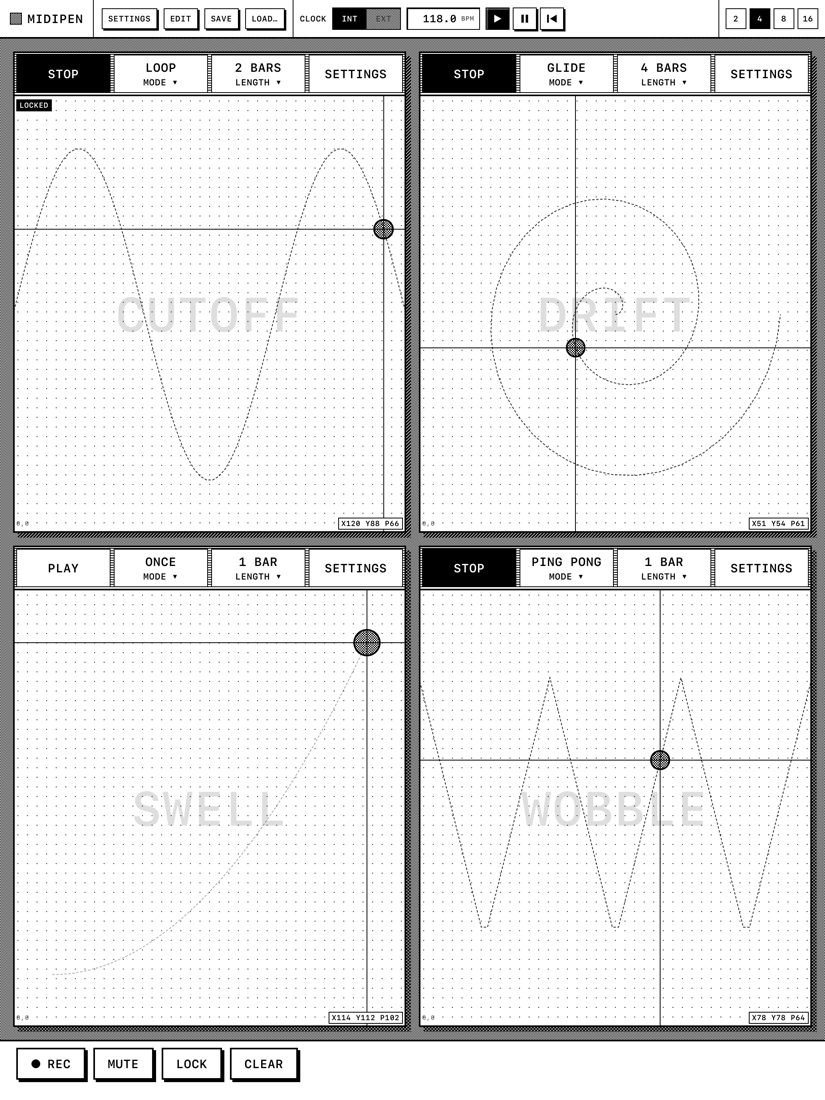
Put a pencil or a finger on a block. Its X, Y and pressure go out as MIDI control changes, live, to any synth that can hear the iPad. Lift the pen and the block holds its last value.
Hold REC, draw on as many blocks as you like, let go. Every block you touched keeps the stroke, stretched to one to eight bars.
Tap PLAY and the stroke plays back in time with the internal clock or your DAW's MIDI clock. Once, loop, ping pong, or glide the seam.
The pad is the instrument
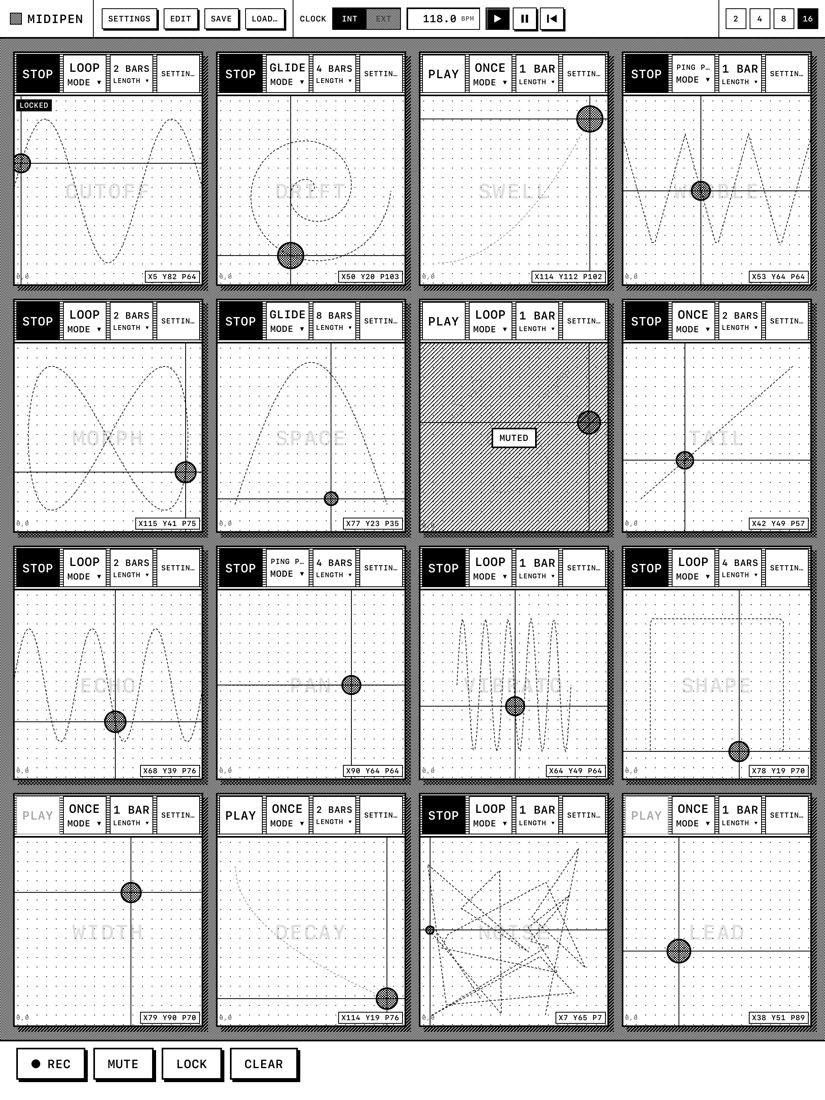
MIDIPen's screen is a grid of blocks. Each block is a small XY-plus-pressure pad with its own name and its own MIDI mappings. Name one CUTOFF, point it at CC 74 on channel 1, and you have a filter knob you can draw with. Everything a performer does happens inside the pads; the controls are a thin strip on top.
One block, up to eight controllers
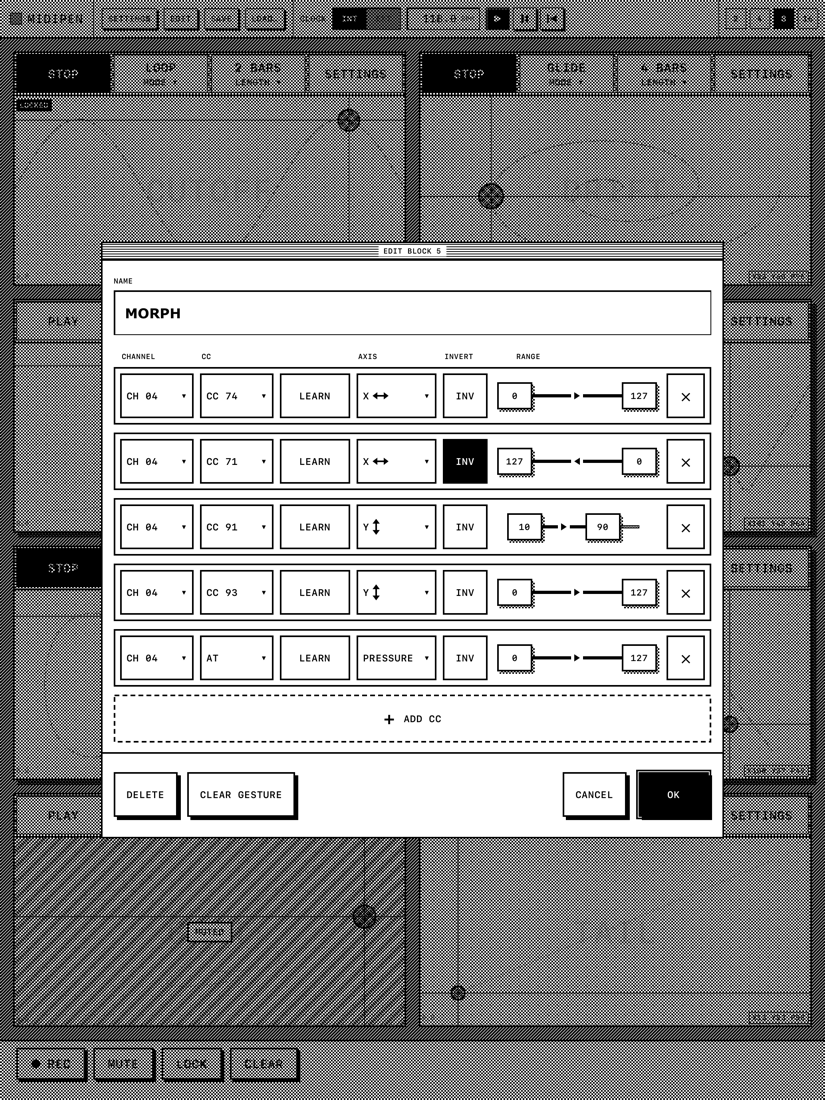
A block is a macro. Add up to eight mappings, each with its own channel, CC number (or channel aftertouch), axis, output range and an invert switch. One stroke can open a filter, close another and push a reverb send at the same time.
MIDI learn
Tap LEARN on a row, wiggle a knob on your controller or DAW, and MIDIPen fills in the channel and CC number. It waits for two messages in a row from the same control, so a stray touch can't hijack a mapping.
Hold REC. Draw. Let go.
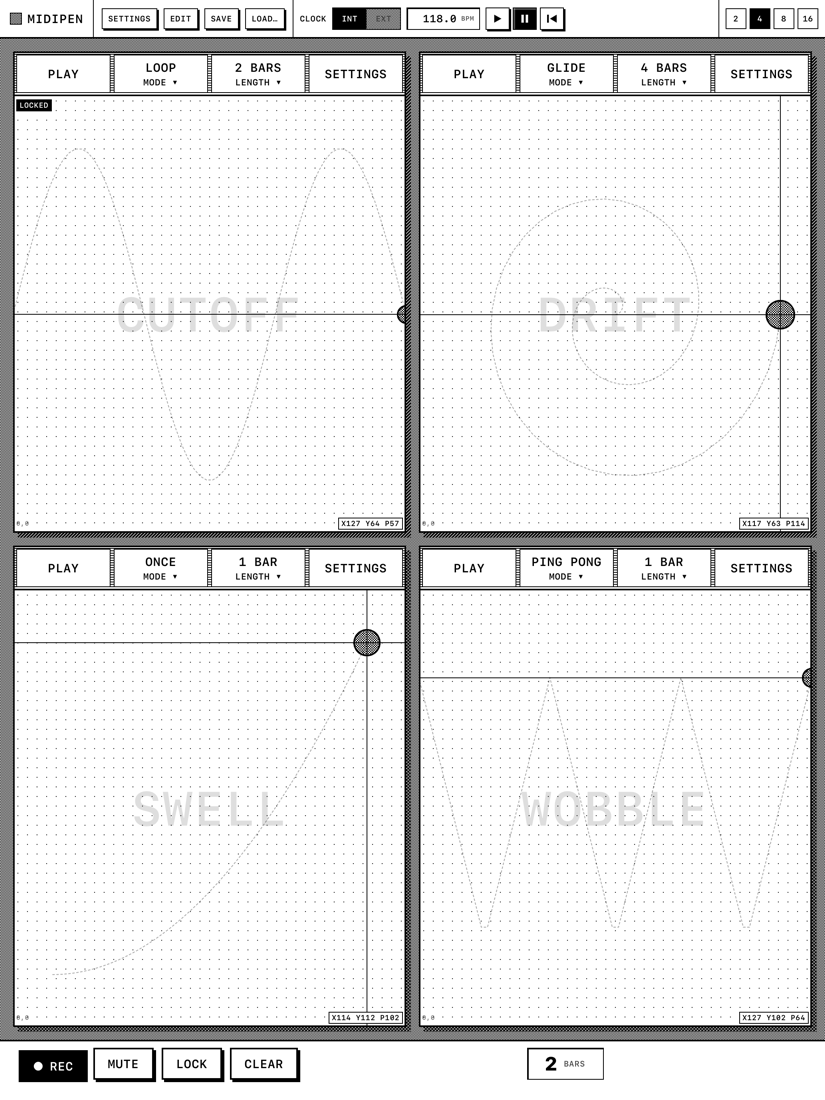
Recording is a hold, not a mode. While REC is down, every block you touch is captured on one shared time base, and the bar counter shows how long you've been drawing. Release, and each block's length snaps to the nearest bar count, so playback is in time no matter how fast you drew.
Four ways to play it back
- XONCE plays through and holds the final values.
- XLOOP repeats; the seam is a jump.
- XPING PONG runs forward, then backward.
- XGLIDE crossfades the end of the stroke into its beginning so nothing jumps.
In time with everything
An internal clock with a tempo panel (40 to 240 BPM), or lock to external MIDI clock from your DAW or hardware. Start, stop and continue restart every loop together. The clock source is an explicit switch; MIDIPen never guesses.
Built for the stage
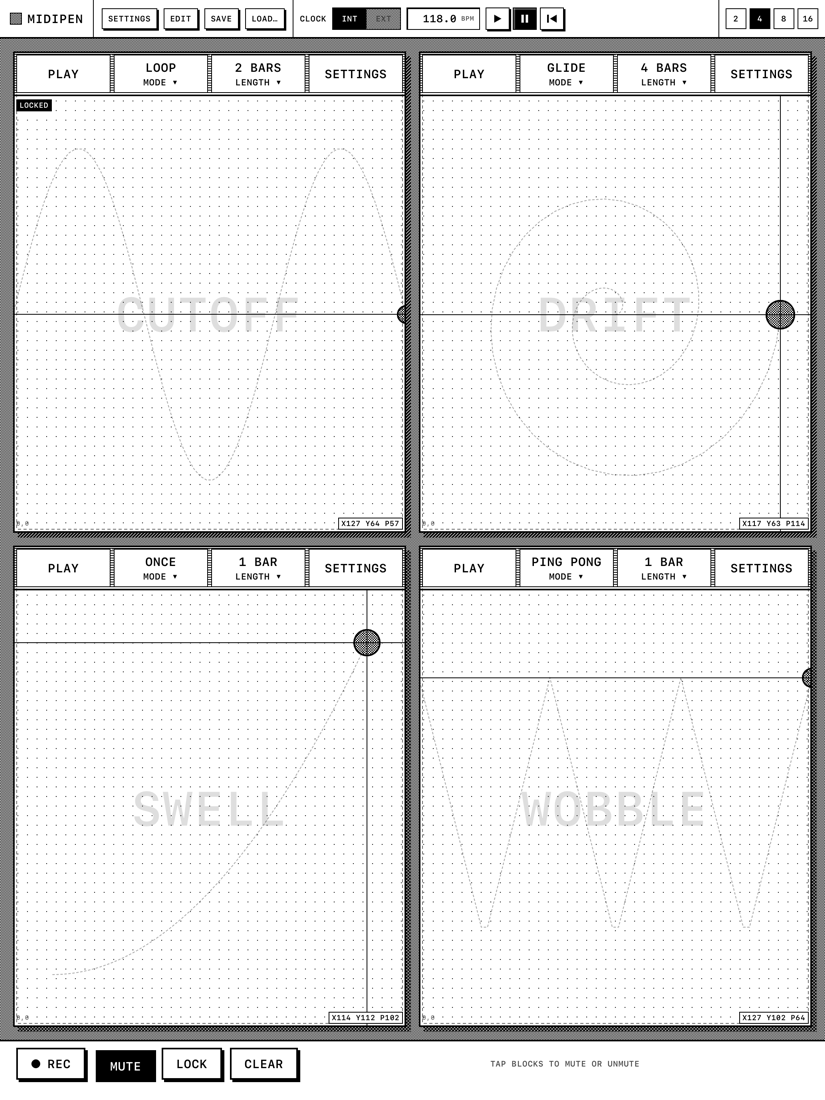
The bottom-bar tools (REC, MUTE, LOCK, CLEAR) are hold-and-tap, so nothing fires by accident. LOCK freezes a finished curve so a stray palm can't smear it. MUTE silences a block instantly, even a locked one. Hide the block controls and the pads fill the whole screen. PREVENT SLEEP keeps the iPad awake for a whole set.
MIDIPen appears as a MIDI source called MIDIPen and a destination called MIDIPen In to every other app on the iPad, and sends to every connected MIDI destination: USB interfaces, Bluetooth MIDI, Network MIDI, and the inputs of synth apps, hosts and DAWs. There is nothing to route. It has no audio engine and makes no sound of its own; it plays the instruments you already own.
- XPen X, Y and pressure to MIDI CC, live
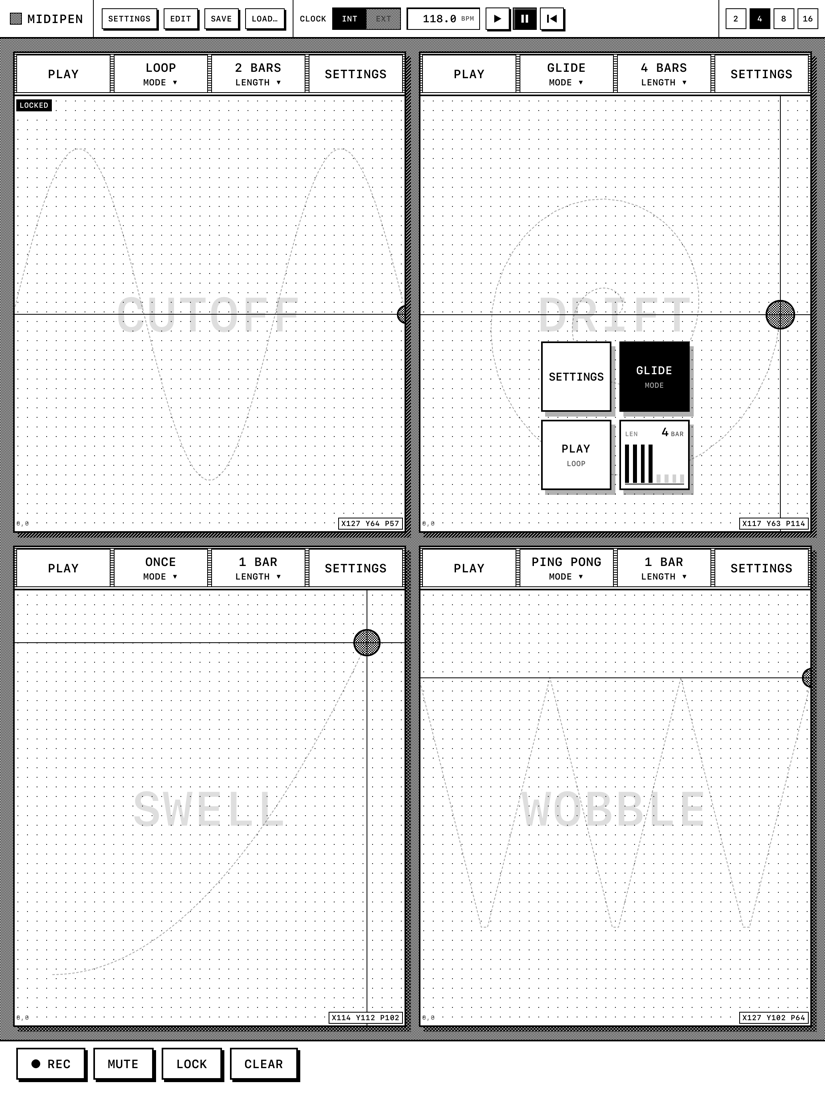
- X2, 4, 8 or 16 blocks on screen
- XUp to 8 mappings per block, each with its own channel
- XCC 0–127 or channel aftertouch per mapping
- XPer-mapping range and invert
- XMIDI learn
- XHold-to-record across several blocks at once
- XONCE, LOOP, PING PONG and GLIDE playback
- X1 to 8 bar loop lengths per block
- XInternal clock with tempo panel, or external MIDI clock and transport
- XHold-and-tap MUTE, LOCK and CLEAR tools
- XNamed setups, plus continuous autosave
- XApple Pencil Pro squeeze menu
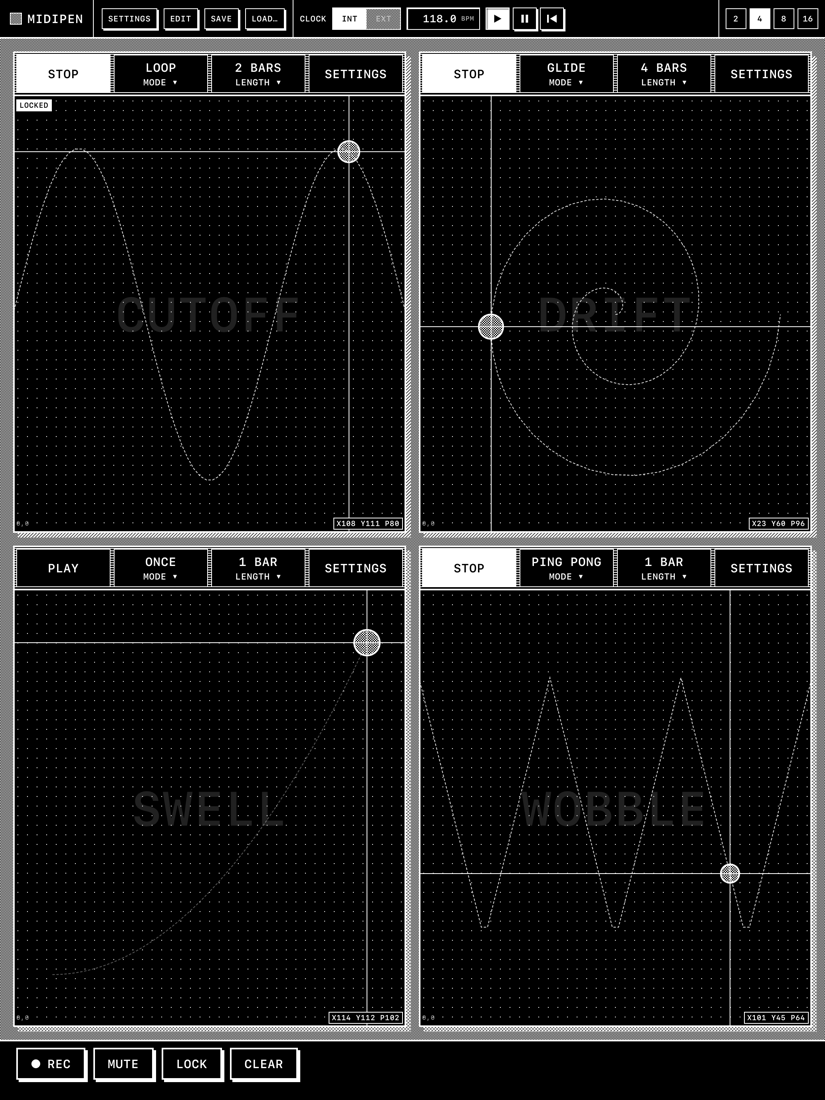
- XLight and dark mode, Split View friendly
FREE
$0
The 2-block layout with everything else: mappings, MIDI learn, recording, all four play modes, clock sync, setups.
MIDIPEN UNLOCK
$9.99
Opens the 4, 8 and 16 block layouts: up to sixteen blocks drawing at once. One purchase, no subscription. Restores on any iPad with your Apple Account.
Does MIDIPen make sound?
No. It sends MIDI control changes. Point it at a synth app, a DAW, or hardware through a USB or Bluetooth MIDI interface.
Which apps does it work with?
Anything on the iPad that accepts MIDI input: hosts like AUM, Loopy Pro and Drambo, DAWs, and standalone synths. MIDIPen shows up as an input called "MIDIPen". Sending MIDI clock to "MIDIPen In" syncs the loops.
Do I need an Apple Pencil?
No. A finger gives you X and Y at a fixed medium pressure. Any Apple Pencil adds pressure; an Apple Pencil Pro adds the squeeze menu.
Can it follow my DAW's tempo?
Yes. Set the clock to EXT and send MIDI clock and start/stop to "MIDIPen In". START restarts every loop from the top.
Does it run on iPhone?
No. MIDIPen is an iPad app; the pads need the room.
Is it a subscription?
No. The app is free with two blocks, and one $9.99 purchase unlocks the rest for good.
Read the MIDIPen user guide for every control, the clock, MIDI learn, and troubleshooting.
Questions, bugs, ideas: support@rocamr.com. Please include your iPad model, iPadOS version, and what you were sending MIDI to.
Last updated: September 2026
MIDIPen ("we", "our", or "the app") is made by Rocamr Labs, LLC. This policy explains what data the app handles.
Data collection
- MIDIPen does not require an account. No email, password, or personal information is collected.
- MIDIPen does not track your usage or behavior and does not use any analytics services.
- MIDIPen has no network features. It does not connect to our servers or anyone else's.
Data storage
- Your layouts, mappings, recorded gestures and saved setups are stored only on your iPad, inside the app's own documents folder. They are removed when you delete the app.
- Settings such as PREVENT SLEEP are stored in the app's local preferences on the device.
MIDI
- MIDIPen sends MIDI messages to MIDI destinations on your iPad and receives MIDI from sources you connect. This traffic stays on your device and the devices you have connected to it.
In-app purchase
- The MIDIPen Unlock purchase is handled entirely by Apple through the App Store. We receive no personal information about you from a purchase. Apple's privacy policy governs the transaction.
Children
MIDIPen does not knowingly collect any information from anyone, including children under 13.
Changes
If this policy changes, the new version will be posted on this page with an updated date.
Contact
Rocamr Labs, LLC · support@rocamr.com